Posts

Showing posts with the label Smartforms

SAP ABAP SMARTFORMS

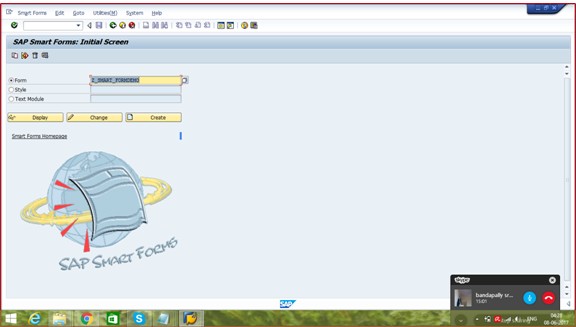
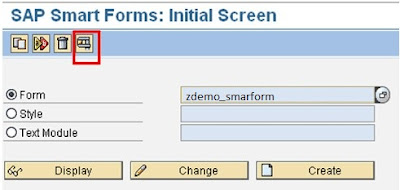
SAP ABAP SMARTFORMS Smart Forms in SAP ABAP. SAP Smart Forms is used to create and maintain forms for bulk printing on SAP systems. As an output medium, SAP Smart Forms supports a printer, fax, email, or the Internet (using the generated XML output). SAP introduced SmartForms in 1998 to overcome the limitations in SAP Scripts. What are SMARTFORMS in SAP ABAP Smart Form technology allows you to design print forms. ABAP programs need to "call them" for spools to be generated, ready to print. SMARTFORMS is the transaction for designing the smart form layout. It is possible to incorporate texts, images, tables, bar codes. The import parameters must be defined so that an ABAP program can send the data to be printed. When the smart form is activated, a function module is generated that an ABAP program must call. You should never assume the name of this function module because it can change on each system after the import. See below how to do it. Trans...
SAP ABAP Sapscripts Real time Interview Questions and Answers

SAP ABAP Sapscripts Real time Interview Questions and Answers These are Important SAP ABAP Sapscripts Interview Questions and answers useful for freshers and experienced. What is the meaning of a SAP Script and what is the role of it? SAP scripts are using to print the forms ,Ex:Purchase Order ,Invoice etc. What are Paragraph and Character Formats ? To format texts in forms, you need paragraph and character formats. What are Windows and Text Elements ? Forms usually consist of individual text areas (address, date, footer, and so on). To provide these areas with texts, you must define the areas first as output areas. SAPscript calls such an output area a window. Frequently used window names in application forms are ADDRESS, SENDER, MAIN, or PAGE. ou can create each window only once on each page, except the main window, which may appear up to 99 times on each page. Text Element Text elements in SAPscript are the individual text components of a form. In the differ...

Step by Step Tutorial on Creating Smartforms in SAP ABAP

Image
Step by Step Tutorial on Creating Smartforms in SAP ABAP Smart forms in SAP ABAP Language play very important role because any kind of project ,we will get the requirement on smartforms which are used to print the forms like purchase order ,Invoice and Billing etc. So that as a ABAP Consultant ,we must be learn creating smartforms. Here ,I shared 'Step by Step Tutorial on Creating Smartforms in SAP ABAP ' to print Purchase order form using EKKO Table Data. Smartforms Tutorial Go to Smartforms Transaction Code and Select the form Radio Button and Give the <Zformname> and click on create Button.  Next give the form title Now ,click on the Global definitions in which select types button ,declare types structure . In the Global Data Tab ,create the Internal Table and work area . In the Initialization Tab, define select query that data will be displayed in the table format in the form main window. Now ,right click on the main window form lef...

How to Debug Smartforms in SAP ABAP

Image
How to Debug Smartforms in SAP ABAP Debugging smartforms in SAP ABAP is important task for every ABAP developer and also so many candidates do not how to debug smartform .To avoid this difficulty ,i am sharing here step by step tutorial on debugging smartfrom.This article helpful for Fresher ABAP developers. Step by step process to debug smartforms First of all ,go to SMARTFORMS Transaction code and enter your form name and press on Execute button. After executing function module ,it will generate the function module and click on display function module. Then press the source code function module and click on Perform GLOBAL_INIT subroutine. Then enter breack point wherever you want and execute it and it will take you to debugging mode. We have succesfully learnt ,How to Debug Smartforms in SAP ABAP. How to learn SAP ABAP   Smartforms     SAP Scripts and Smart forms     Smartforms Interview Questions     How to debug ...

SAP ABAP Smartforms Interview Questions and Answers

SAP ABAP Smartforms Interview Questions and Answers What is smartform? Smart Forms are printing forms used to print Invoice and purchase order forms etc. We are calling smartforms from  ABAP programs then spools are generated, now smartform ready to be printed. SMARTFORMS is the transaction to design the smart form layout. SMARTSTYLES are used to define paragraph and character formats (fonts, barcodes, etc.) What are the differences between SAP Scripts and Smartforms? SAP Scripts are client dependent whereas Smartforms are client independent. SAP Scripts require a driver program to display the output whereas in smartforms the form routines can be written so that it is standalone. An Table Painter and Smartstyles to assist in building up the smartforms An integrated Form Builder helps to design Smartforms more easily than SAP Scripts It is possible to create a Smartform without a main window Function module is generated for Smartforms when we are...

Difference Between Scripts and Smartforms in SAP ABAP

Difference Between Scripts and Smart forms in SAP ABAP Present as you know all,SAP scripts are using hardly in Implementation projects ,instead of this ,they are using smart forms and adobe forms but scripts are used when upgrading projects or when enhancements are required so that some of the interviews ,you can face these interview questions that they might be ask differences between SAP Scripts and Smart forms. So now let us study them in detail. Multiple page formats are possible in Smart Forms which is not the case in Sap Scripts. It is possible to have a Smart Form without a main window. Labels cannot be created in Smart Forms. Routines can be written in Smart Forms tool. Smart Forms generates a function module when activated. script is client dependent one while smart form is client independent. In scripts we have to write print program while in smart forms it is not necessary. In scripts we can print background logo while in smart forms we cant pr...

ABAP Smartforms Tutorials

ABAP Smartforms Tutorials Here ,  i am explaining the basic definitions of smart forms tutorials and their use in the applications. We use SAP Smart Forms to create and maintain forms for mass printing in SAP Systems. SAP Smart Forms offer the following advantages: Creating and maintaining forms requiring half the time Adapting forms without any programming knowledge due to entirely graphical user interface Web Publishing using the generated XML output The SAP Smart Forms replace the SAP script forms. Features SAP Smart Forms allow you to execute simple modifications to the form and in the form logic by using simple graphical tools; in 90% of all cases, this won't include any programming effort. To print a form, you need a program for data retrieval and a Smart Form that contains the entire from logic. As data retrieval and form logic are separated, you must only adapt the Smart Form if changes to the form logic are necessary. You design a form using th...