Step by Step Tutorial on Creating class in SAP ABAP Class Builder(SE24)
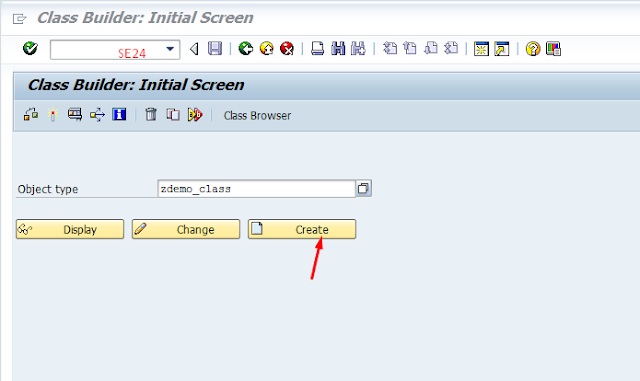
Step by Step Tutorial on Creating a class in SAP ABAP Class Builder(SE24) This Tutorial will explain to you, How to create a Class in the SAP ABAP and Class Methods and Class Attributes and defining source code in the Class Builder (SE24). Here learn About Class in Object-Oriented Programming . Go to SAP Easy Access Screen where enter the SE24(Class Builder) Transaction Code. Select the Radio button class and Click on the Continue Button. Select Public Instantiation and select the usual ABAP class radio button. Save it as a Local Object. Click Methods Tab and define methods. Click on Attributes Tab and crate variables, types. Click on Save, Check and Activate. To implement methods, select method and click on code button where define source code. To view the source code, click the Source code based button. class ZDEMO_CLASS definition public final create public . public section. *"* public components...