Posts

Implementation of SAP User Exits and Customer Exits
Image
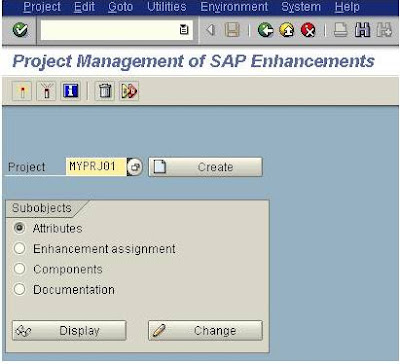
Implementation of SAP User Exits and Customer Exits Implementing exits in SAP ABAP in SAP standard applications ,is important for every SAP developer.when we are working on implementation or support projects.user and customer exits are old enhancement techniques ,are used to enhance the standard functionality.So in the previous post,we have learnt the How to find user exits and customer exits after finding user exits/customer exits ,we have to implement the that finding exits.we will find the user exits through the SMOD Transaction code and we will implement the Exits using CMOD Transaction code. Once we find the user exits, We go to CMOD. The purpose of the CMOD is to register what we are going to do in the particular enhancement. So, at the time of up gradation it will be easy to retain the code. click on Create. Now in the next screen  click on Save and then on “Enhancement assignments Now enter your enhancement name, click on Save and then on “Components” ...
How to Find SAP User Exits and Customer Exits

Image
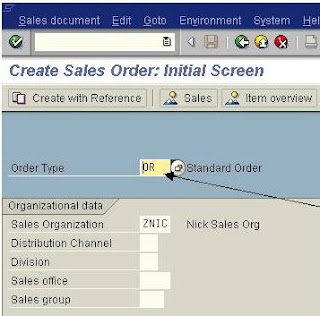
How to Find SAP User Exits and Customer Exits User Exits and Customer Exits are old enhancement types  which are available in the form of Subroutines and Function modules using which we can add our own functionality to SAP standard applications without having to modify the original applications ,present ,instead of which ,there is available advanced BADI's and Implicit and Explicit Enhancement Options .In the previous lessons ,we have learnt How to find BADI and How to implement BADI . What are User Exits and Customer Exits User exits These are implemented in the form of subroutines so which also known as FORM EXITs. The user exits are normally collected in includes and attached to the standard program by the SAP. All User exits start with the prefix word USEREXIT_... FORM USEREXIT_XXXX.... INCLUDE ZZUSEREXIT....... ENDFORM.    Customer exits SAP having  customer exits for specific programs, screens, and menus within standard appli...

Implementing SAP BADI

Image
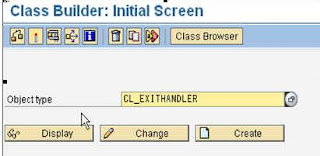
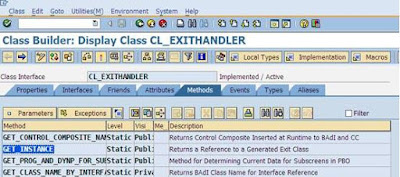
Implementing SAP BADI Implementation of BADI in SAP ABAP is neither easy nor difficult but if you have some experience to find the appropriate method of BADI. Then you can simply implement the BADI ,Finding a BADI is somewhat difficult ,we have to find right parameters that are import and export parameters of BADI method .for that there are three methods to find a BADI . Here , i am creating  BADI implementation for CS01 transaction, that does not allow user to create alternative BOMs for already created BOM. Now let us learn the how to implement BADI. Step1: Keep a break point in “CALL METHOD cl_exithandler=>get_class_name_by_interface” line inside the get_instance method of the class cl_exithandler in Class builder (SE24). Step2: Now execute CS01 transaction, you will see the debugger that you set in SE24 transaction. Double click on the changing parameter “EXIT_NAME”. Press F8 sequentially and make a note of the exit names. ...

How to Find a BADI

Image
How to Find a BADI in SAP ABAP BADIs are 'Business Add-In's which is an advanced SAP Object Oriented enhancement technique to add our own business requirement to the existing SAP standard applications. It is advanced to user exit and customer exits.BADIs have existed in SAP R/3 since the system release 4.6 version of SAP. What is BADI What is the use of BADI other than old enhancement techniques, the main use of BADI is, an object-oriented approach to making them reusable that is one BADI can be used any number of times where whereas standard enhancement techniques can be used only once.  There are two important transactions available to define the BADI Which are SE18 and SE19. When we create a BAdI definition in SE18, the class interface will be automatically created and we can define our methods in the interface. The implementation of the methods can be done in SE19 transactions. We can implement the BADI in SE19.  BADI interface created with 'IF_EX...

How to Create BAPI in SAP ABAP

Image
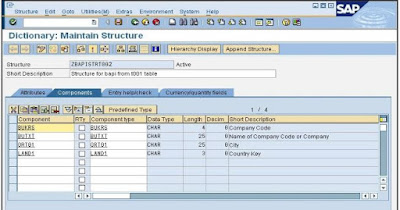
How to Create BAPI in SAP ABAP What is a BAPI Business Application Programming Interface(BAPI) is a interface providing us access to SAP and Non-SAP systems to process data from the remote systems. BAPI's are API methods which are stored in the Business Object Repository (BOR). BAPI is implemented as a function module which connects the New R/3 components, Information Warehouse (BW),Non-SAP software,Legacy systems,Isolating components within the R/3 System in the context of Business Framework,Distributed R/3 scenarios with asynchronous connections using Application Link Enabling (ALE) and Connecting R/3 Systems to the Internet using Internet Application Components (IACs). Business Application Programming Interface's(BAPI's) are standardized programming interfaces which enable external applications to access business processes and data in the R/3 System. BAPI provides us  seamless integration between the R/3 System and external applications and BAPI's defined a...